2: Stake to Coinbase with The Provenance Blockchain Wallet
On Friday, May 19, 2023, we are sunsetting our public validators for Provenance.
If you are a delegator, we strongly recommend unbonding before this date. Refer to the Provenance Delegation Guide for protocol-specific unbonding periods. This change does not impact any other validator nodes for staking.
1. Stake to our public validator
-
Navigate to the Provenance Blockchain Explorer Dashboard.
-
Connect to Provenance Wallet by click the key icon on the upper right corner of the page.
-
In the pop-up window use your password manager to populate the username (and key) for your Provenance Blockchain wallet.
-
Enter the wallet password.
-
Select Submit.
-
Select Validators on the dashboard menu.
-
Search for the Coinbase moniker or validator address and click Delegate
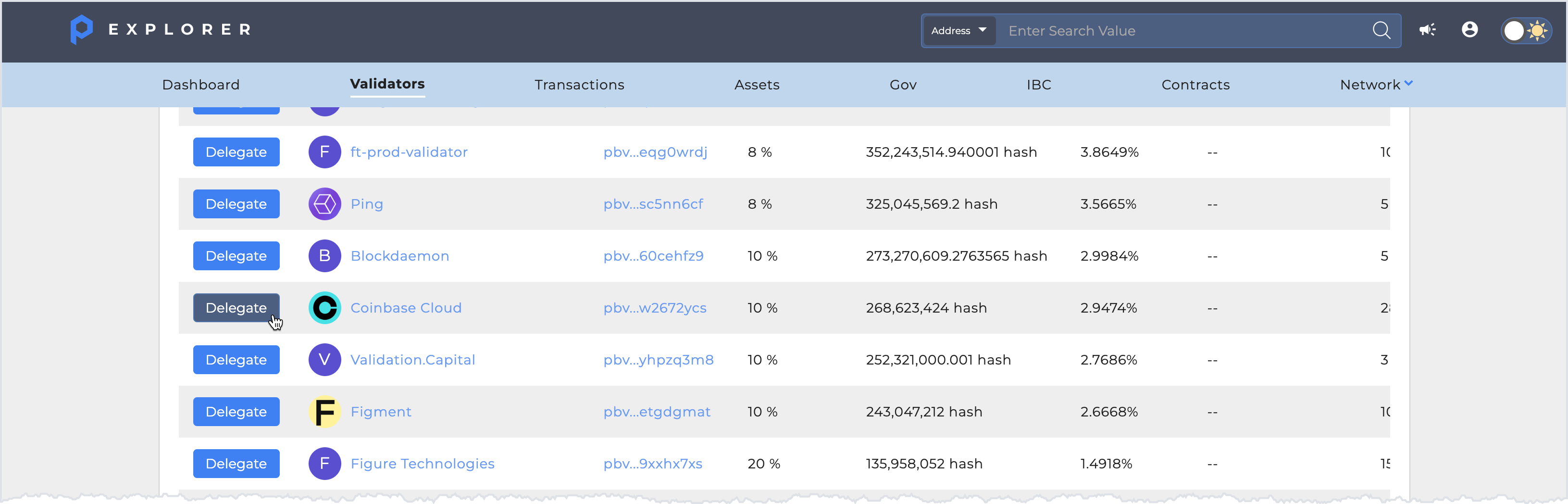
-
Enter the amount you would like to stake with Coinbase in the Amount to Delegate field.
-
Select Delegate.
-
In the Provenance Blockchain wallet pop-up window, confirm that the Coinbase validator address is correct (see below).
-
Select Confirm and Broadcast.
-
Your delegation will now show under the My Validators section of the Provenance Blockchain Explorer Staking dashboard.
Validator name: Coinbase
Validator address: pbvaloper16w74eff40g3eux8kz92tmwzjjcngckw2672ycs