1: Set up and Fund Moonbeam app with GLMR
1. Link wallet and and create account
-
Navigate to https://apps.moonbeam.network/moonbeam.
-
Select the wallet you would like to use to connect and follow the on-screen prompts to connect the wallet to the application.
-
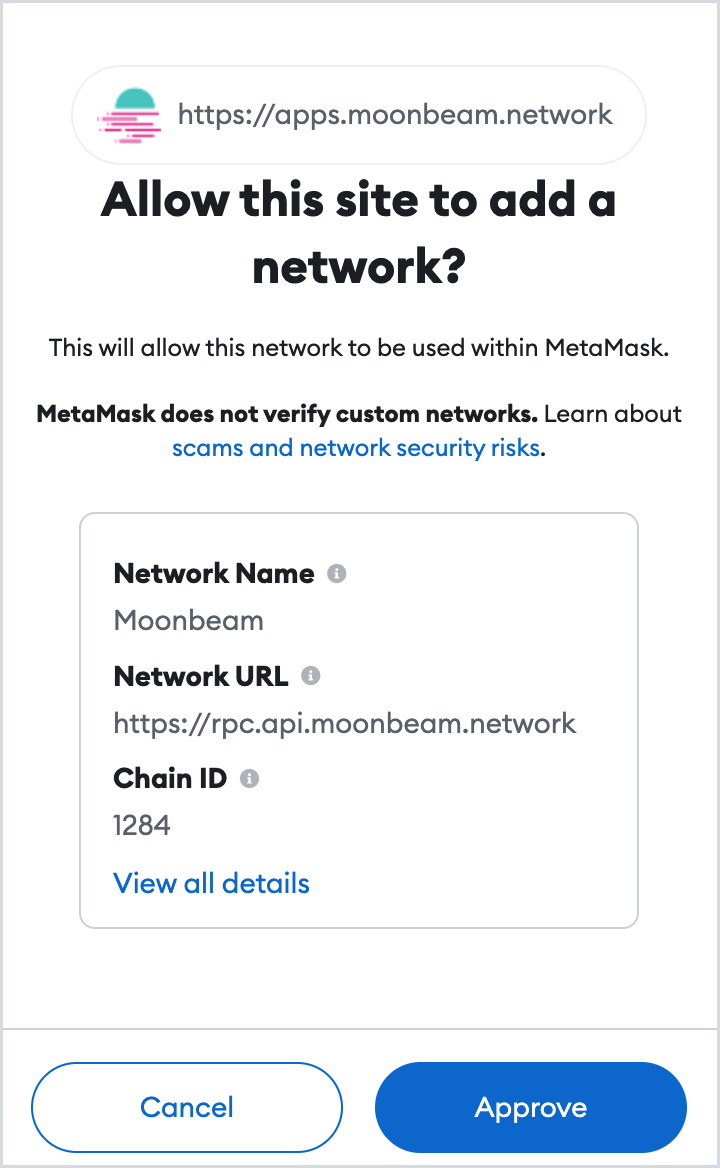
Select Approve to allow Moonbeam to be added to your wallet as a new network, then choose Switch network to activate Moonbeam in your wallet.
-
If the wallet you connected was the same wallet used for a Moonbeam Crowdloan, your GLMR balance will now show on the Moonbeam dashboard. Proceed to 2: Stake GLMR to with the Moonbeam app.
2. Transfer GLMR
-
Open the wallet you connected to the Moonbeam app and copy the wallet address that appears with your Moonbeam account.
-
Send your GLMR from the exchange or wallet where it is stored to the address you just copied.
-
Following a few minutes to allow for network processing time, refresh the Moonbeam app and re-connect your wallet if prompted.
-
Your GLMR balance should now show on the dashboard of the Moonbeam app. It may take up to 10 minutes to show the balance.