2: Stake to Coinbase with AdaLite
1. Stake to our public validator
-
On the wallet homepage select the Staking tab.
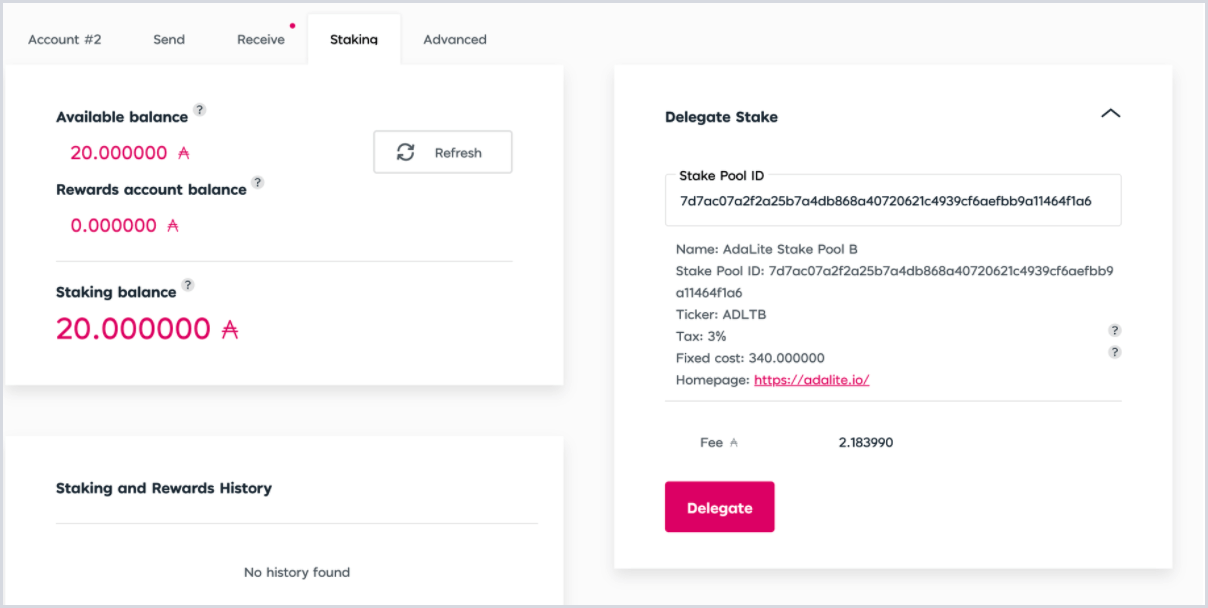
The Delegate Stake module on the right side of the page will show a randomly selected validator
-
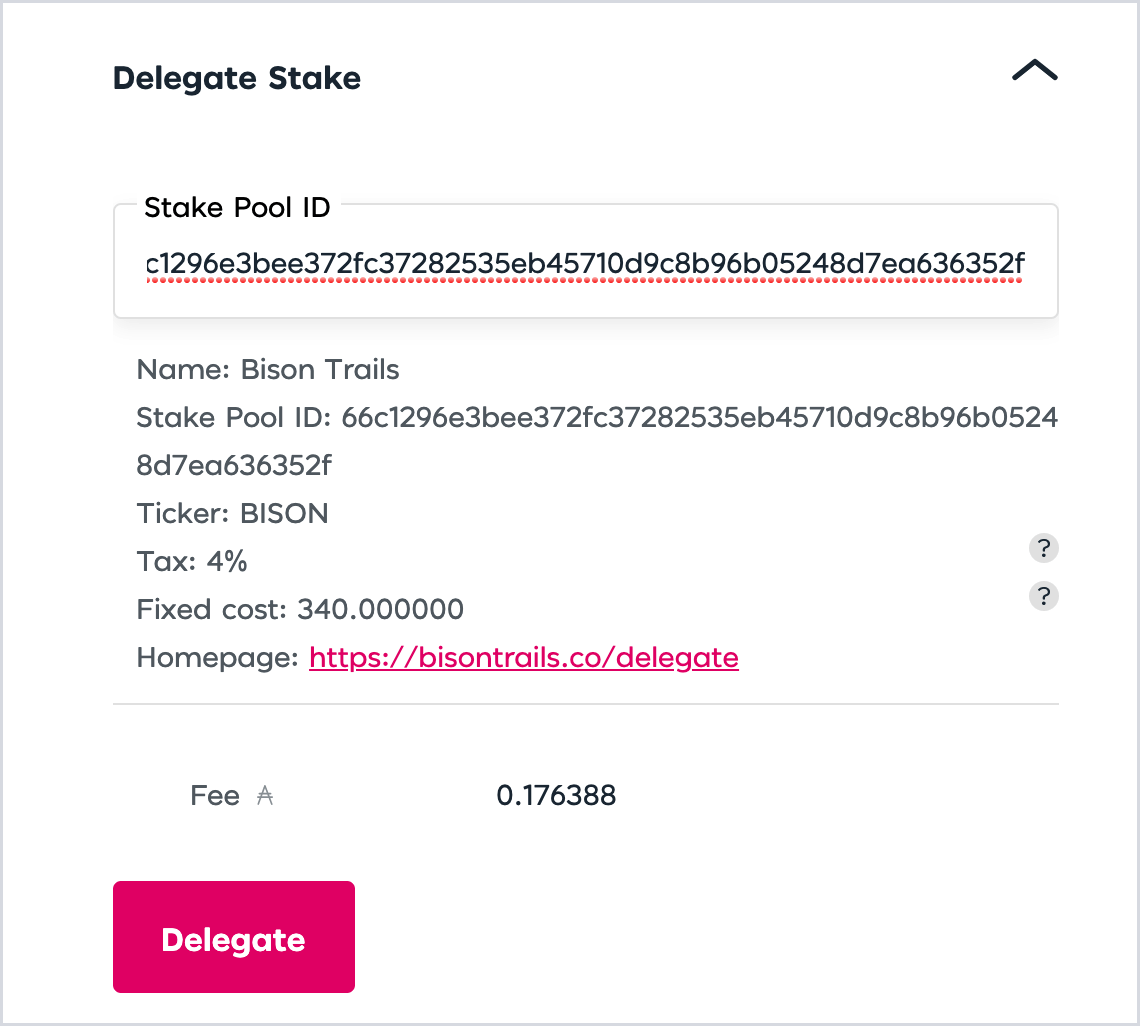
Clear the populated Stake Pool ID field and enter the Coinbase Stake Pool ID:
66c1296e3bee372fc37282535eb45710d9c8b96b05248d7ea636352f.
Stake pool name: Coinbase
Stake pool ticker: CLOUD
Stake pool ID: 6804118fe78be9bf9213b9e829803952be87814d28b305fa52bf11d9
-
Use your keyboard return/enter key to populate the staking information for the Coinbase Stake Pool.
-
Select Delegate and enter the amount of ADA you would like to delegate.
-
Ensure your delegation information looks correct and select Confirm Transaction. If using AdaLite connected to a hardware device, your device will need to be connected and unlocked.
-
Follow the on-screen prompts, or the prompts on your connected hardware device if using, to confirm your stake key address registration and confirm your delegation.